How to Create Referral Codes
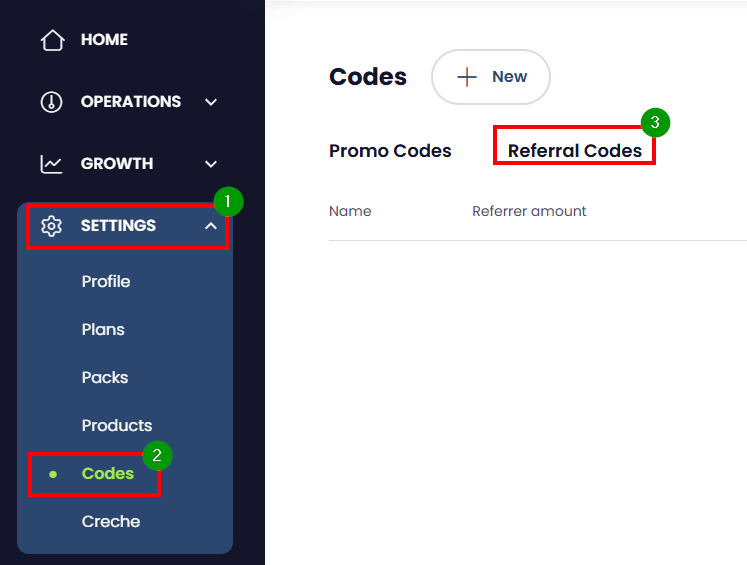
1. From the Homepage, go to Settings then Codes.
2. Click on Referral Codes.
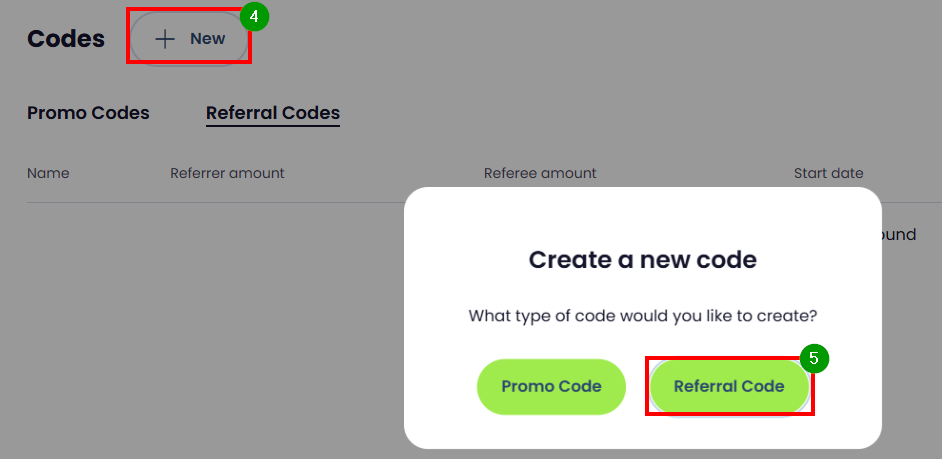
3. Click +New. Choose Referral Code.
4. Enter Referral Name and any description applicable. This description added will be visible to the members.
5. Complete the following fields:
- Referral Start/End - The start and ends dates the referral can be applied.
- Referrer Details - Ensure to choose at least one Plan/Pack
- Referee Details - Ensure to choose at least one Plan/Pack
- Enter the Amount the Referrer gets when referee signs up for the plan/pack
- Enter the Amount the Referee gets when the referee signs up for the plan/pack
- Replicable In - Gyms with multiple locations can choose the locations that they would like the Referral Code to be applicable.
How to Send Referrals
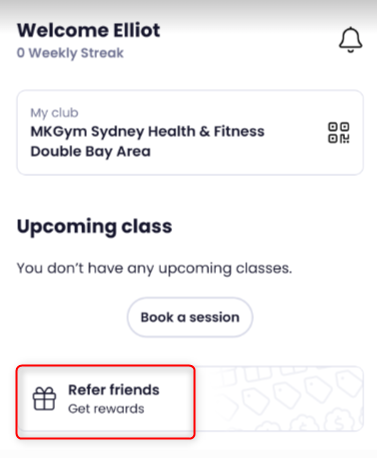
1. Login as a member from the Mobile App.
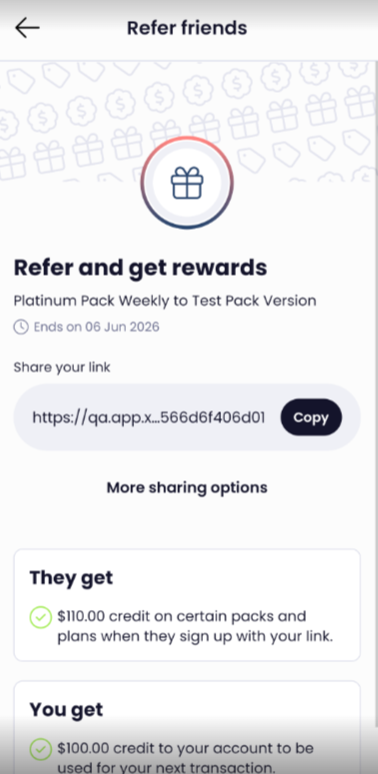
2. Referral Link is only displayed to the applicable members
3. Click on Refer Friends to on the Home Page to navigate to the link or Click on Profile Refer Friends.
4. Copy or use sharing options to send the link.
How to Use the Referral Code
1. Click on the referral link sent
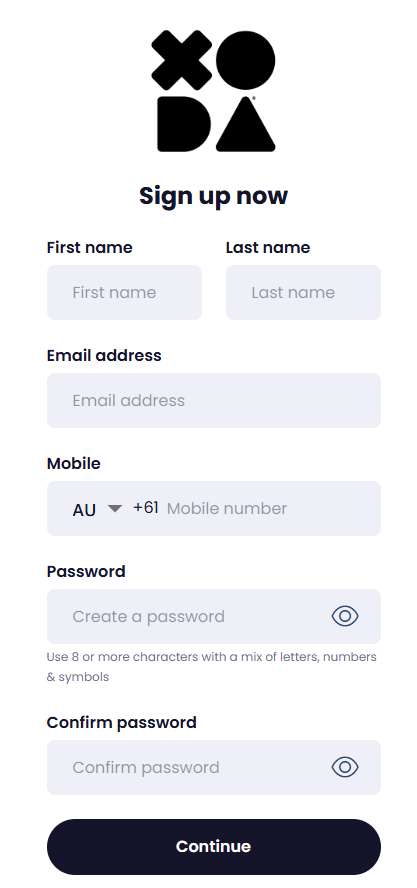
2. On the Sign Up page, enter the following:
- Enter First Name
- Last Name
- Mobile
- Password
3. hoose Mobile/Email to send out the Verification Code.
4. Enter the 6 digit verification code
5. The page with all the plans/packs/products applicable to the member comes up.
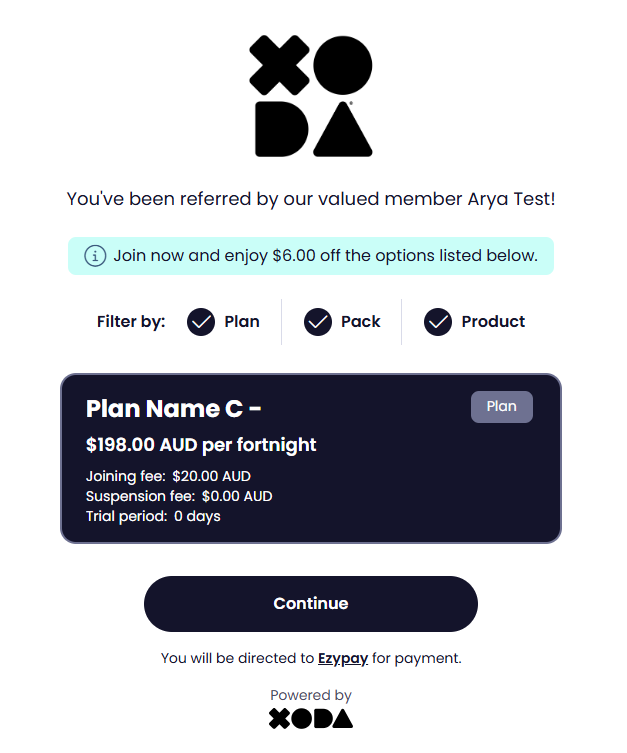
6. Choose a plan/pack/product and click Continue
7. Popup shows up with the Amount
8. Click Continue to Payment to proceed.
9. Enter Payment Details.
10.Member is signed up successfully
11. Member receives as email with the app links and the login details.
